Newsletter #10 September 2026
Hello Friends!
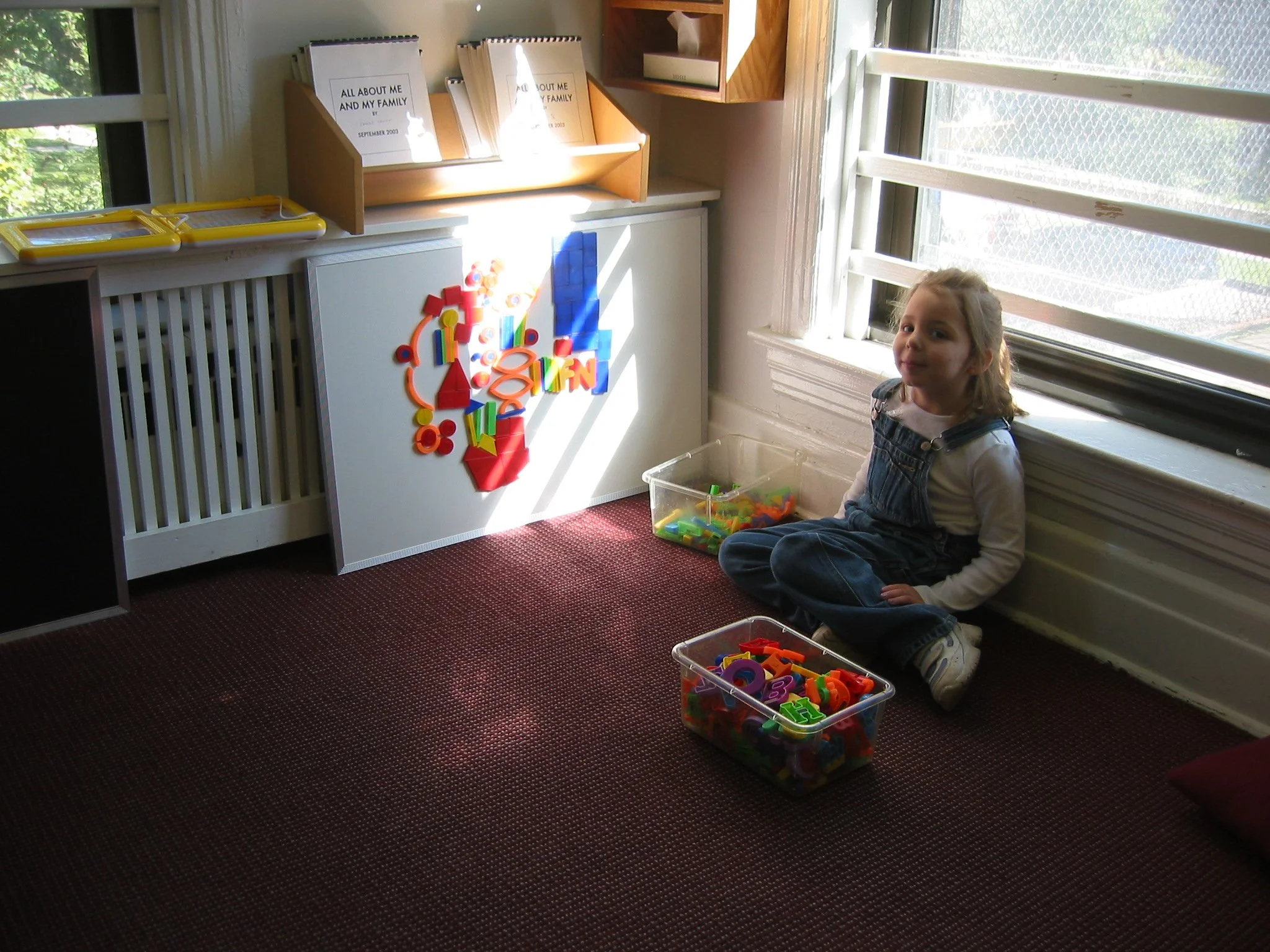
We’re getting back into the swing of it all come fall and know you are too! From new teachers to new schools for some of you, and transitions from pre-k to kindergarten to high school and beyond. This time of year is full of changes and transitions and lots of unknowns.
We would love to know what is feeling exciting and what is feeling daunting and how we can be providing support and stability in times of transition.
We would also love to know what was a hit this summer for you and your family - What activities felt connective and fun? What screentime swaps were a success? And what will you definitely be doing again next year?
My personal summertime swap success is Wednesday night berry picking at Columbia Farms on Sauvie Island. Every Wednesday night during the berry season you can go pick berries at dusk and beat the heat while slotting in some after-work or after-camp screen-free fun. It’s my favorite way to spend a Wednesday evening and without fail always leads to some really sweet moments of connection (and heaps of berries too).
Beyond the berries, we have a booked and busy fall events calendar that you ought to check out!

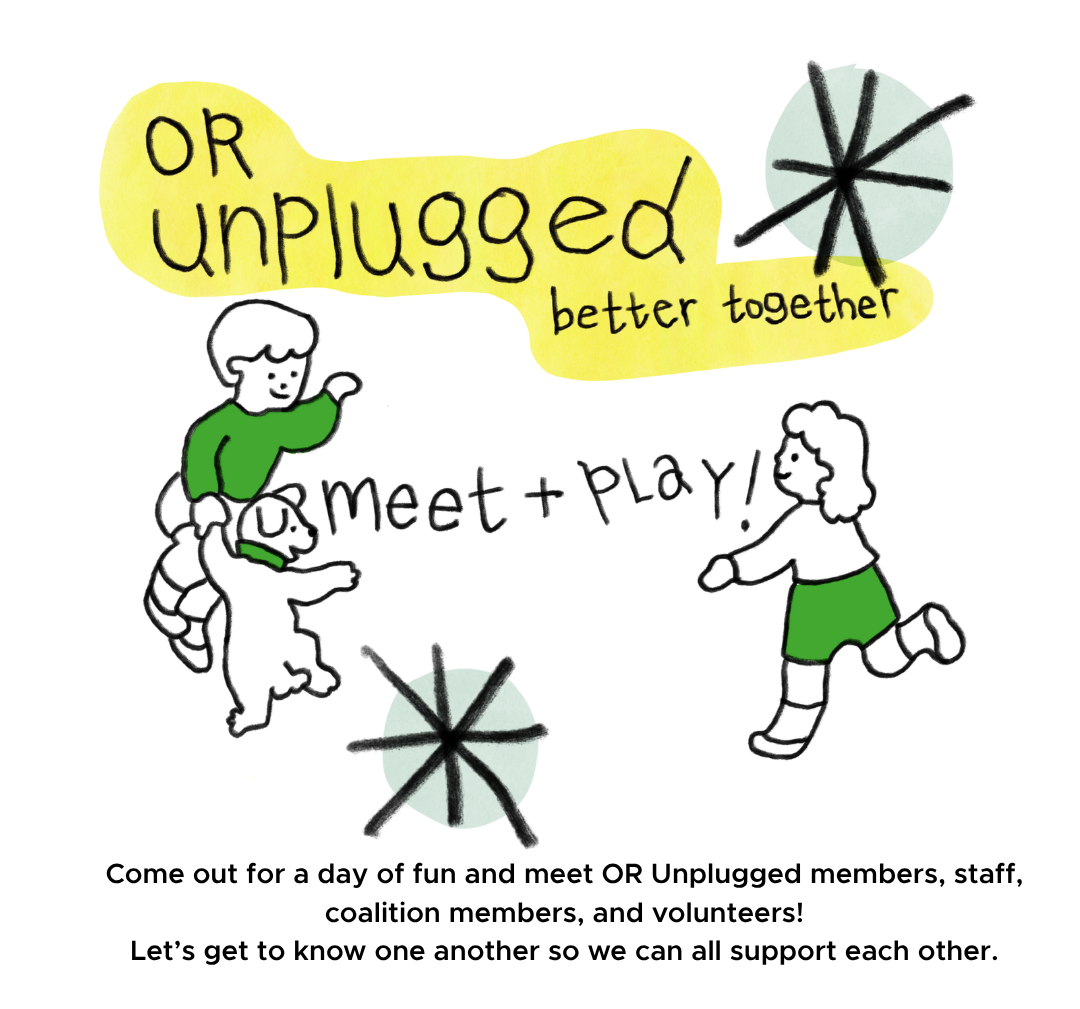
We would like to invite you to join us on Sunday, September 27th from 2-5pm for OR Unplugged Better Together: Meet & Play. Meet our volunteers, coalition leads, and the larger OR Unplugged team! We’ll have light snacks and childcare (for kids 3 and older) so bring the kiddos and let’s have some fun! You can find more information and RSVP here.

Are you in the McMinnville area? You’re in luck! Join us on Tuesday, September 29th at 6:30pm at the First Baptist Church Fireside Room (125 SE Cowls Street. McMinnville, OR 97128) for a free screening of Your Attention Please and a panel discussion following featuring our very own Megan Orton and Professor Jennifer Linder.

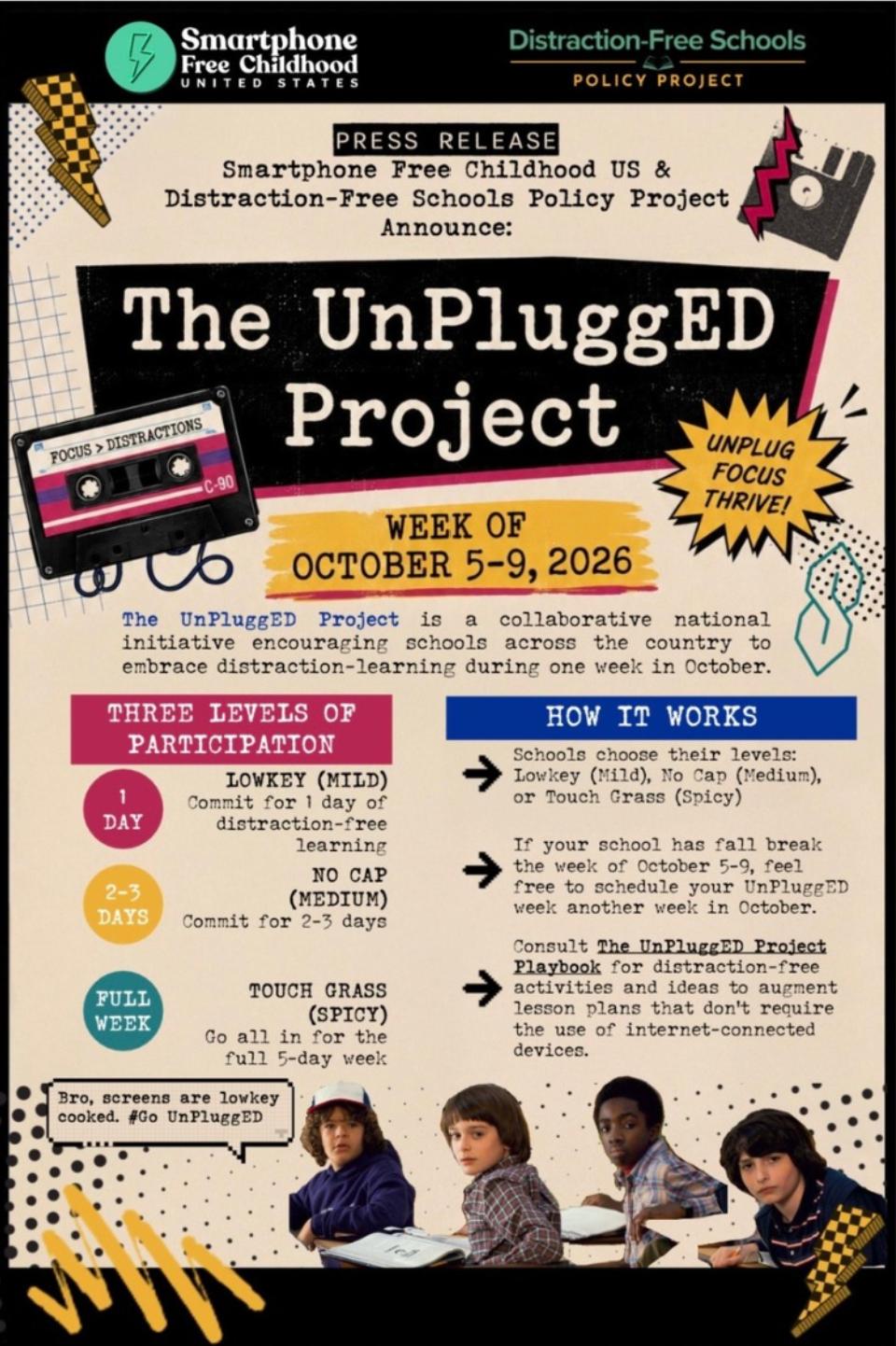
The UnPluggEd Project is a collaborative national initiative from Smartphone Free Childhood US and Distraction Free Schools Policy Project that encourages schools and families across the country to embrace and lean into human connections and away from the distractions of technology. We invite families, administrators, educators, legislators to join for 1 to 5 days of leaning into human connections free of technology distractions!
Get UnPluggEd: October 5th-9th, 2026
To get more information and to register, click HERE
Learn more at the DFSPP Community of Practice (COP) Call. The COP calls are an invaluable way to stay in the loop nationally on how these conversations around screens in schools are playing out from coast-to-coast.

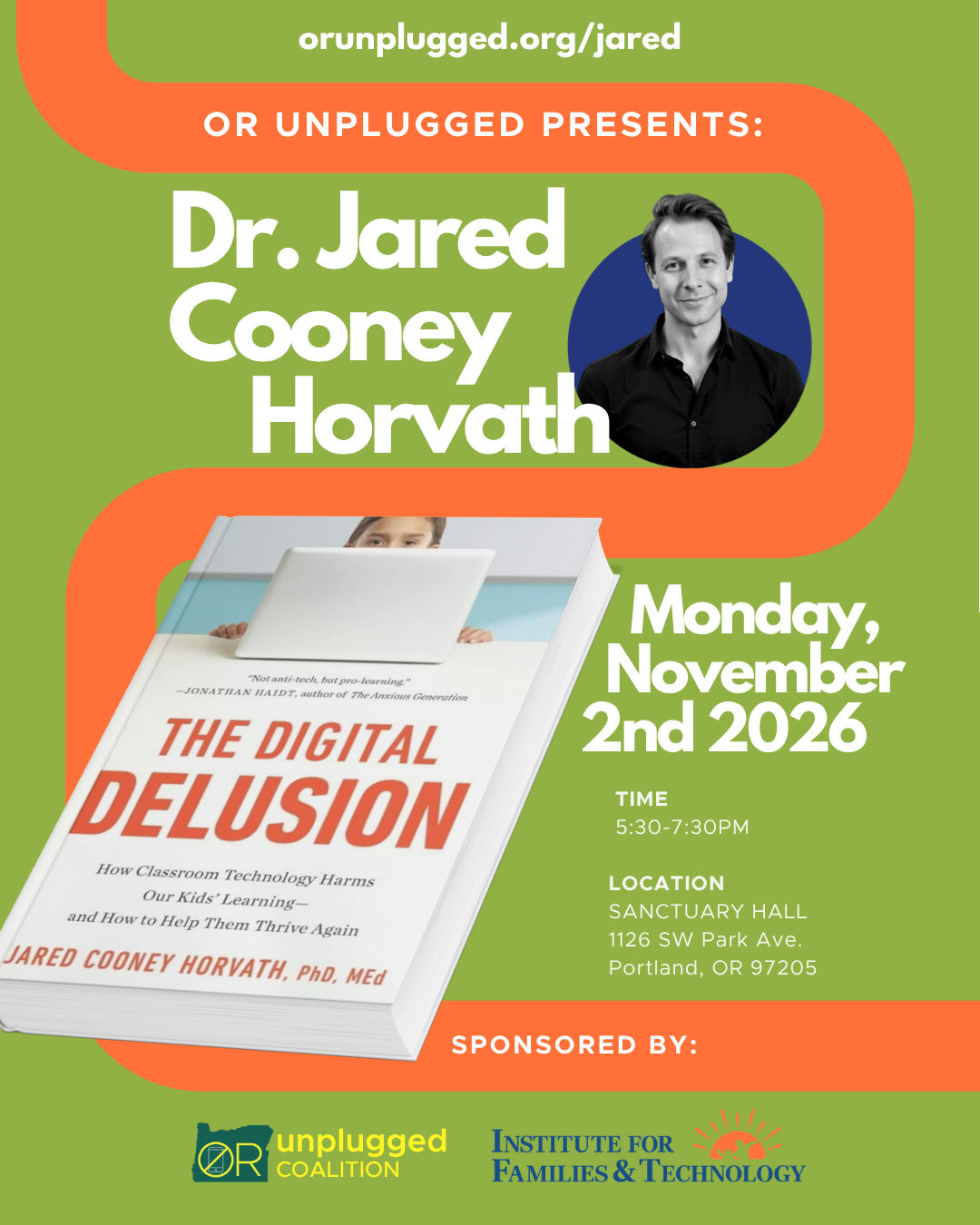
And a little down the line in November...
Reserve your seat for another essential lecture by the acclaimed Dr. Jared Cooney Horvath! Mark Monday, November 2nd from 5:30-7:30pm on your calendar and snag a spot here - you won’t want to miss this.
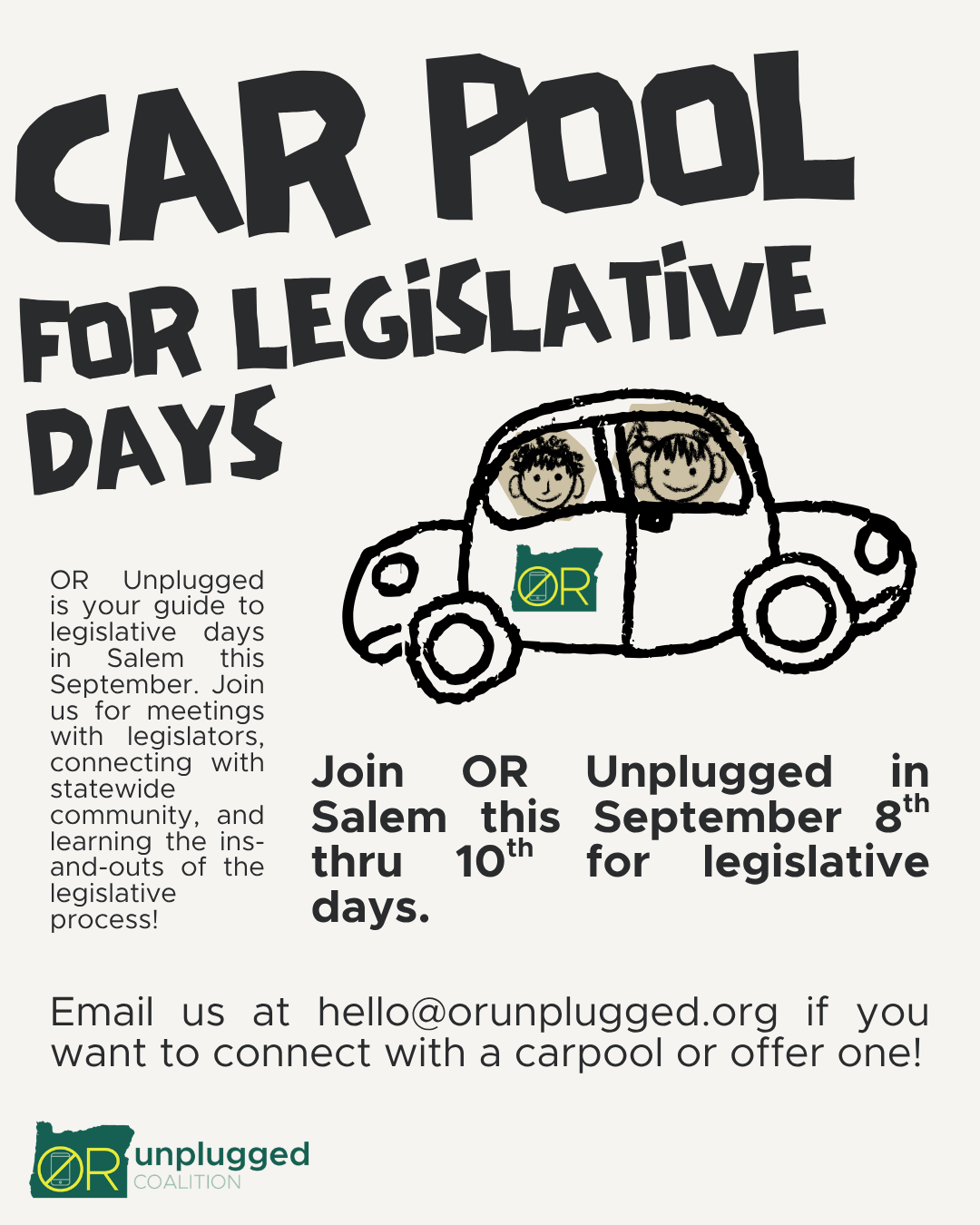
If you’re interested and want to carpool (or offer seats in your vehicle) please give us a shout at hello@orunplugged.org.
We had a wonderful webinar to prepare for legislative days last month. If you missed Legislation 101 with Ross Schwartzendruber, don’t fret! You can watch the recording here. And if you’re based in the Salem-area and want to connect with other like-minded folks, you can email Ross at ross@bigtechharms.org
As we transition into the school year, our coalitions are shaking things up in their school districts!
Beaverton -
The Beaverton Safe Tech Coalition is looking for a liaison at each school in the district to help create a two-way connection between schools and the Coalition. Liaisons will share updates and resources while also bringing questions, feedback, and concerns from their school community back to the Coalition.
We are also preparing for the September 15th School Board meeting and encourage community members to attend, speak, or submit public comment. Your voice can help raise awareness and support safer, healthier technology practices for Beaverton students.
If you are interested in becoming a school liaison or participating at the September 15th meeting, please reach out to the Beaverton Safe Tech Coalition: bsdsafetechcoalition@gmail.com
Portland -
Our proposed screen policy is with the teachers union, as well as the school board policy chair, and is publicly available on our website. Please feel free to share it around your school. These are great issues to bring up at a PTA general meeting, for example. Share share share!
Board meetings: Please sign up for public meeting notices. You'll get an email when a policy committee meeting gets added to the calendar, and those are meetings that we really want to be at! The Policy committee is where our proposed policy begins and is very important. School board committee meetings are also smaller and more focused than the bi-monthly general meetings, and are easier to get on the list for public comment as well. Please sign up to make public comment about tech and screens in PPS at every general board meeting, and every meeting of the policy committee as well. You can even do it over Zoom, so you don't have to leave your house if it is a hassle (which it can be). Holly, Amira and I are happy to support you if you're nervous or have questions at all!
Some actionable takeaways from our PPS district admins meeting: If you see ‘misuse’ of screens (really any use of screens in the classroom that does not directly/obviously support the curriculum) district administrators have encouraged us to ask about it. Emily Glasgow, head of curriculum, suggested phrasing it like this: "I noticed [X thing happening in the classroom.] Can you explain to me how this supports the PPS curriculum?"
Also, if you see anything via Securely that worries you (for example your child is accessing sites that they shouldn’t, they’re gaming, or even just on the screen for way too many hours), Mark Lancaster, Paul Martin and Russell Adamson said that parents should email them directly. They are rolling out a program called Lightspeed that they believe will give them more granular info about student screen and tech use than Securely does, but it won't be in use until November.
Fun aside: Schools Beyond Screens Portland’s Holly and Miranda were on OPB's Think Out Loud on Aug 26th (the first day of school). Take a listen here! How exciting!
Tigard/Tualatin -
This week, our board met and the recommendations from the Screen Time Work Group were presented. The presentation was powerful. Even more encouraging, two of the high school board interns spoke up in support of getting screens out of elementary classrooms.
One of them shared a particularly powerful story from volunteering in a kindergarten classroom, where a child asked repeatedly when it was time to use the iPads. She was struck by how difficult it was to engage the child in any other activity and by what she described as the addictive nature of the device. The group of teens then caught us as we were leaving the meeting and said “it’s really great to hear from moms other than our own, about the screen stuff. We know things need to change, so thanks for doing this work!”
The board did a lot of nodding and agreed that the recommendations made sense. However, when Board Exec. Crystal made a motion to request that a policy be drafted, it was not seconded.
Several board members said they fully support the recommendations but that they don’t want to “micromanage” the district by putting a policy in place.
Crystal’s final comment captured the frustration well: “Well, then I look forward to the State micromanaging.”
There was one encouraging development after the meeting. A board member stopped us as we exited and essentially said that if a policy is drafted and brought forward as an agenda item, she would vote for it.
So, we definitely some work to do.
Want to do the work with us? Send us an email at oktodelayor@gmail.com
What are you getting up to in your coalitions? What projects are on the docket? What changes are you making? Tell us here and we can feature you in our October newsletter.

Kathy’s Pick: A Conversation with Jared Cooney Horvath and Jonathan Haidt from August 25th, 2026
Kathy Says - For anyone who wants a better childhood for our kids, watch this powerful webinar with Jonathan Haidt, author of The Anxious Generation, and Jared Horvath, author of Digital Delusion—then share it with everyone who cares. Haidt connects the youth mental health crisis to smartphones and social media. Horvath connects poor academic outcomes and declining cognition to the rapid expansion of digital technology in classrooms. Kids’ attention is so fragmented that after just 6 minutes on a tech program, they spend 40 of 60 minutes of “learning” time multitasking on games, texting, YouTube and other distractions. Parents and educators are pushing back, now with 41 states with phone-free schools and many countries restricting social media for under-16s.
We all know kids need to learn technology. But learning and building knowledge come first. Skills before screens. That’s how children retain the ability to think, connect, learn, work, and ultimately use technology wisely.
Jody’s Pick: The Playground Predators Built: Roblox, Your Kids, and the Law That Could Change Everything by Dina Alexander, MS
Jody Says - There is finally a law, the App Store Accountability Act (ASAA), that has passed in the states of Utah, Texas, Louisiana and California that holds app stores accountable for the programs and games it markets and sells to kids. The federal ASAA bills, Senate bill S.1586 and House bill H.R.3149, were introduced in May, 2025 into the 119th Congress (2025-2026) and are currently being debated. This article describes these bills as well as the business model of Roblox, which allows adult predators to easily engage and exploit kids as a cartoon avatar within what is billed as a CHILD’s game. Legislation may be required to protect kids, as tech developers have shown little inclination to address frequent and known harms to kids from the design of their games and apps. This is highly relevant information for parents whose kids are begging to play this highly popular video game.
Megan’s Pick: Why Meta's settlement could be an 'inflection point' for reining in Big Tech by Shannon Bond
Megan Says - This settlement by Meta last week is huge news! Meta is required to pay $17.1 BILLION dollars to several states that sued for compensation to help manage the mental health cost of young people using social media. The bigger news though, is that Meta is also required to remove some of the addictive elements on their platforms for minors! These addictive elements are called Persuasive Design and I've been giving parent talks about Persuasive Design for years. What I always say is that Persuasive Design could be taken out of tech products sold to minors tomorrow, but it will need to be legislated out because companies like Meta will not do it voluntarily. I have always cautioned parents that it will likely be years before any meaningful legislation to remove Persuasive Design happens here in the US, and I could not be happier to have been wrong about this!
Now that they are required to remove some addictive elements from their products, Meta is calling on all other tech companies to do the same, because they don't want to be the only social media company losing revenue by no longer being able to addict our kids. Here is Meta's chief legal officer, after the settlement: "Because teens move fluidly across dozens of apps, we need an industry-wide solution. We therefore call on our industry peers, TikTok and YouTube, to implement this new framework, right away."
An Industry-Wide Solution - exactly what parents, teachers, psychologists, and pediatricians have been saying for years! This is being called social media's Big Tobacco Moment, an inflection point where we begin to stop Big Tech from harming our kids and teens for profit. I am thrilled that a push to do this is happening years sooner than I thought it would!
Simcha’s Pick: The Strother School of Radical Attention
Simcha Says - In the spirit of back to school, I’d love to highlight the Strother School of Radical Attention, a non-profit organization dedicated to attention activism. It feels as though one of the most thoughtful and meaningful things we can do with our time is give someone our full and undivided attention. We are bombarded 24/7 with things that disconnect us, disembody us, and distract us - the Strother School asks us to consider what it would be like to radically shift and reframe what matters to us in opposition to that. Their attention activism toolkit is a great place to start.
Amy’s Pick: Students Want the Portland School District’s Climate Policy to Confront Artificial Intelligence by Ila Bell and Joanna Hou
Amy Says - This article highlights students' concern over AI and its harmful effects on climate - especially when AI is making its way into classrooms across PPS more and more. The article also highlights students and parents concerns over AI usage in classrooms, as part of the curiculum - calling for limited usage and codify district AI usage.

For this month’s how to, we’re taking a peak into how you can remove Google’s Gemini AI from your web searches. Removing AI from your searches can be a great first step of making more intentional choices around AI and being more aware of the areas in our lives in which it has been integrated. Interested in learning more about AI? We love this grouping of resources recently put together by the Transparency Coalition:
AI update pack: What kids, parents & teachers need for back-to-school
Labor Day weekend is nearly upon us and back-to-school sales are in full swing. At TCAI we’ve got a readymade packet of information about AI and school, homework, learning, and mental health.
Chatbots are going to be top of mind as school opens, especially for teens. We’ve got the latest human-vetted material on:
- ChatGPT for Teens: What it is, how it works
- Why students who use chatbots for homework help do worse on exams
- Why kids turn to chatbots for emotional support
- The AI rules teens think high schools should apply
1. How to disable the Gemini setting embedded into Google Chrome:
Chrome has a handful of AI settings embedded directly. To toggle those off, you will want to:
Open Google Chrome and click the three dots in the upper righthand corner and then click on Settings.
Within Settings, you’ll click on AI innovations (or System).
From there, you will be able to toggle off “Gemini in Chrome”, "History search, powered by AI", "Help me write", “Skills in Chrome”, and “Google Search AI Mode” as well as "On-device AI".
If you see a floating Gemini icon (it looks like a sparkle) in the upper righthand corner, you can right-click on it and “Unpin” it.
Note: To stop Chrome from downloading the hidden 4 GB Gemini Nano model in the background, type chrome://flags in your address bar. Search for "Optimization Guide On-Device" and set it to Disabled, then relaunch the browser.
2. Remove AI Buttons in the Address Bar:
To take it a step further and be a bit more thorough:
Type chrome://flags into your address bar and hit Enter.
Search for "ai mode".
Set all the related AI-flag options to Disabled and then click the Relaunch button at the bottom of the page.
3. Bypass Google Search AI Overviews
Google Search now automatically generates an AI overview with every search. To disable that feature and ensure you the relevant web links, you can set up a custom "Web Only" default search. There are two ways to do this:
Type "-AI" in any search
Or
Open Google Chrome and click the three dots in the upper righthand corner and then click on Settings.
Within Settings, you’ll click on Search Engine and then Manage Search Engines and Site Search.
Next to Site search, click Add.
Fill in the fields:
Name: Web Search
Shortcut: @web
URL: {google:baseURL}search?q=%s&udm=14
Click Add. Then, find the newly created "Google Web" in the list, click the three dots next to it, and select Make default.
4. Turn Off AI in Your Google Account (And Other Apps)
Your data preferences also live at the account level.
Go to Google My Activity and turn Gemini Apps Activity to Off.
If you use a Google Workspace account (Gmail, Docs), you can disable smart AI assistant integrations entirely by visiting your Gmail settings and managing your Workspace Smart Features.
If you use Google Photos, open the app, tap your Profile icon, then Preferences, and then Gemini features and turn off "Use Gemini in Photos".
The above steps have been tested by yours truly in a Chrome browser and come courtesy of John Truempy in this thread. If you are more of a visual learner, we also recommend this video as a great place to start.
If you get stuck or need a hand, send us an email at hello@orunplugged.org - we’ll happily help over Zoom or over email to get your settings where you want them to be.
OR Unplugged is a non-profit organization run almost entirely by volunteers. Your donations and volunteer time both support creating & distributing resources, putting on events, doing outreach, facilitating workshops, and much much more. You can help us show up for our community and build a better future for our kids. Any support is welcome and appreciated. You can donate here and learn more about OR Unplugged here.
Comments, queries, or concerns? You can reach us 24/7 (practically) at hello@orunplugged.org
Warmly and with gratitude,
the OR Unplugged team
Kathy, Jody, Megan, Amy, & Simcha