
the minimalist phone
June, 2026
ORU How-To
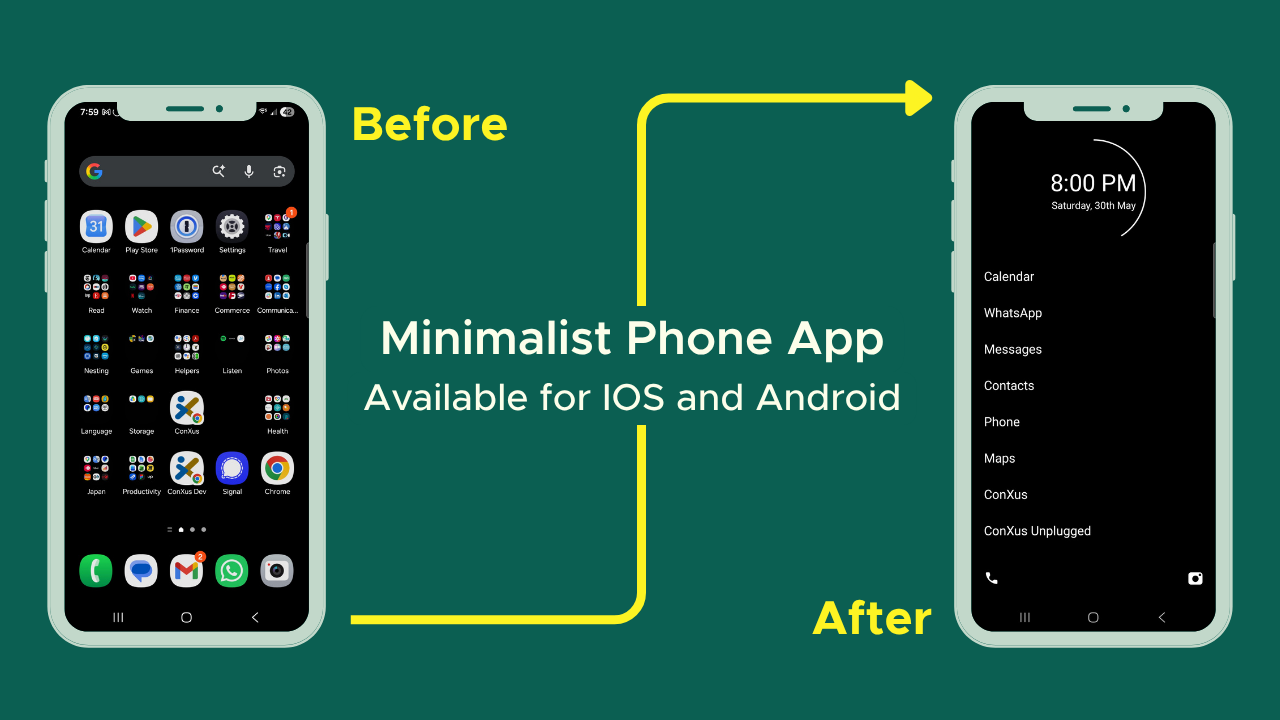
Even without social media, I realized I had a problem with checking my phone. Sitting down and checking the news, the stocks, or my email was becoming a “default behavior” for me when I had downtime. I looked into the Light Phone but the cost was high and it didn't have the specific things I really wanted on a phone. I thought about a flip phone but really wanted to "dumb-down" the phone I already had.
That’s when I found out about Minimalist Phone!
The iOS version is still really new and so there may be some hiccups there but I found the Android app to be exceedingly easy to install and navigate.
You get to choose exactly what goes on your home screen and I love that I can really hone in on the things that are important to me (messaging (but not emails), maps, calling, taking pictures, et cetera).
I like that its default interface is black and white but goes back into color for the other aspects of my life like taking pictures or needing directions (having maps in color makes them so much easier to navigate). If you do want it all in black and white though, that option is there for you.
You can also have favorite contacts selected to make calling and texting easier.
If there's anything else I need, I can just swipe to the left and access all my other apps as a searchable list. It's enough friction that I’m not fussing on my phone as a “default” but can still access the various things I might need.
It's already changed my behavior and I’m excited about it.
This summer we are so excited to share some tips and tools around screentime that start at home.
From the Brick to Freedom to assistive access, we’ll have everything you need and more to reset your own habits and model healthier habits for the kids in your life.
Our first feature is on Minimalist Phone ($28 one time fee), an app that allows you to reduce your phone’s appeal and hone in on its functionality.